Driver Hours Tracking Software

INNOVATIVE

Driver hours tracking

The ecoTRUCK system provides 24/7 monitoring of driver activity, displaying detailed information in easy-to-read charts. Our solution lets you quickly review each driver's driving time, breaks, working hours, and availability over any selected period.
FULLY REMOTE

Driver hours tracking

Real-time tracking of driver hours is essential for effective fleet management. ecoTRUCK gives you greater visibility and control, helping you save time, identify potential violations, and improve driver safety. Schedule a presentation or request a free demo today! Our team is ready to answer your questions and tailor the solution to your needs.

Driving, working, and break times

Data retrieved directly from digital and smart tachographs.

Team driving

Activity time tracking for two-driver crews.

Border crossings

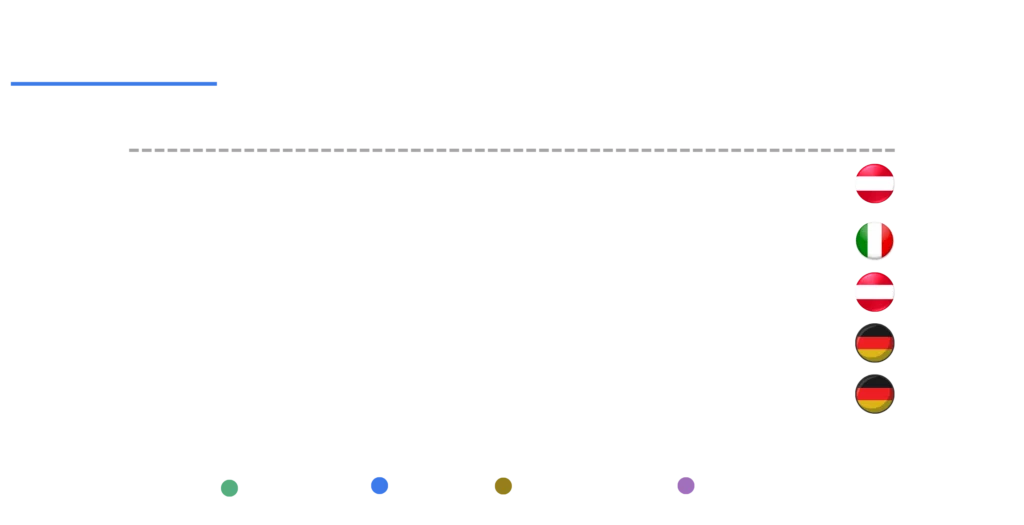
Automatic recording of border crossings with a visual timeline.

Explore our system

How does it work?

ecoTRUCK connects to digital or smart tachographs through the C-port connector and regularly retrieves the required data. Regardless of where the vehicle is located, whether domestically or abroad, the data can be downloaded remotely when needed. Drivers no longer have to return to the company's base for tachograph data downloads, helping fleet operators save time and minimize vehicle downtime.

Driver hours tracking and regulatory compliance

By continuously retrieving tachograph data, ecoTRUCK helps fleet managers monitor compliance with European driving and rest time regulations in real time. Potential violations, such as exceeding the permitted nine-hour daily driving limit, taking insufficient breaks, or exceeding the six-day working period, can be identified immediately. The system also records days when driving time exceeds nine hours and shows how many extended driving days a driver has remaining that week. This helps fleet managers plan schedules while complying with the European rules that permit two extended driving days per week.

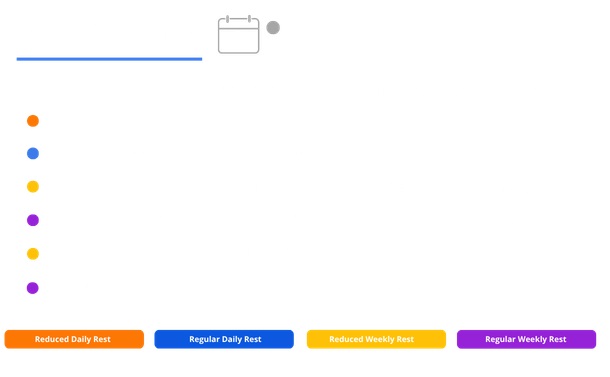
Table showing driver rest periods, including start and end dates, rest duration, and time remaining until a full rest period. Color-coded indicators distinguish reduced and regular daily and weekly rest periods.
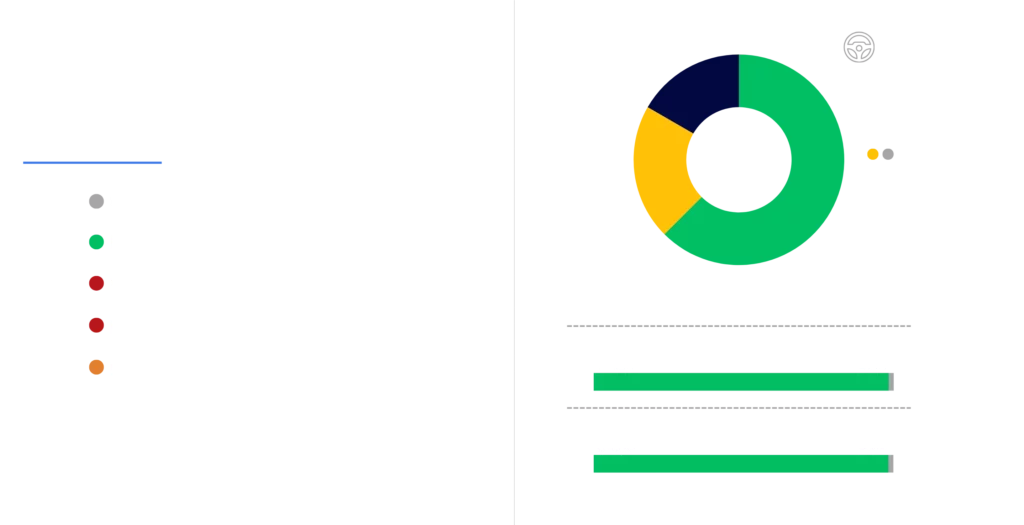
Two charts showing an analysis of a driver’s working time. On the left, a bar chart divided into the following categories: driving time, rest, other work, and availability. On the right, a pie chart showing the percentage share of each activity in the driver’s total working time.

Daily, weekly, and biweekly driving time

The system provides clear summaries of each driver's daily, weekly, and biweekly driving time, using data retrieved directly from the tachograph. Fleet managers can instantly see how many driving hours a driver has remaining for the day or week and whether they are approaching applicable limits. These insights make it easier to adjust schedules in real time—for example, by assigning a driver an earlier rest period when approaching a limit or assigning another driver to a route to help prevent violations.

Border crossing records

The system automatically records when and where vehicles cross national borders. This information is particularly important for meeting border-crossing documentation requirements under the EU Mobility Package. Instead of manually recording each crossing, drivers can rely on the system to capture the time and location. Fleet managers can easily review exactly when and where a vehicle entered another country.

Two charts showing an analysis of a driver’s working time. On the left, a bar chart divided into the following categories: driving time, rest, other work, and availability. On the right, a pie chart showing the percentage share of each activity in the driver’s total working time.
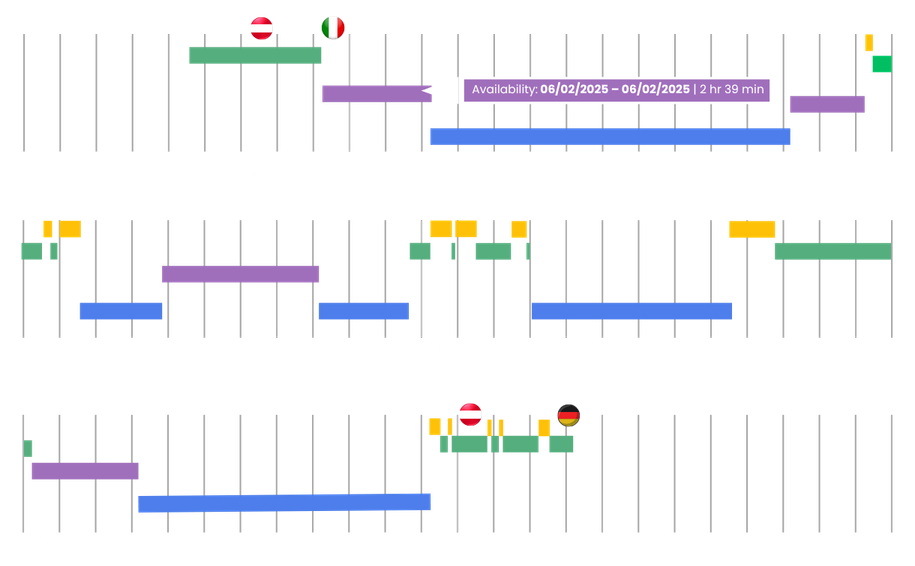
A bar chart showing the driver’s activities across specific time intervals, with color-coded indicators for different work modes such as driving, rest, and availability, including a preview of availability time on June 2, 2025.

Driver activity timeline

The data is presented in a clear, easy-to-read format, making it easier to analyze. On the driver's activity timeline, different activities are color-coded (e.g., green for driving, blue for breaks, and yellow for work). Clicking a green driving segment immediately takes you to the map, showing the exact route the driver traveled during that session. If you select a segment representing a break or stop, the system shows the location where the vehicle stopped on the map. This allows you to verify, for example, whether the driver actually used the break to rest or remained in the vehicle at a specific location.

TMS and ERP integration

The platform provides an API and data export features that enable seamless information exchange with popular TMS, ERP, and payroll systems. What does this mean in practice? For example, data on driving hours, working time, and border crossings can be automatically transferred to driver hours management software. This gives HR and payroll teams immediate access to information about a driver's overtime hours. Integration also works the other way around. A dispatcher using a TMS can see when a driver has reached their maximum permitted driving time for the week and should not be assigned another long-haul route. By eliminating manual data entry between systems, integration saves time, streamlines operations, and reduces the risk of errors.

JSON data showing a vehicle's GPS coordinates (latitude and longitude), activity time, distance traveled, and driver activities, illustrated with truck, gear, and API interface icons.

Challenges in driver hours tracking and data management

Complex regulations and risk of fines

European regulations strictly govern daily and weekly driving limits, mandatory breaks, and rest periods. Manually tracking compliance for every driver and route is challenging, and mistakes can result in substantial fines. Inspections require increasingly detailed records, making accurate and complete driving-time documentation essential.
Show more

Integration with other systems

Driver hours data affects many areas of a transportation business, including route planning, payroll processing, and performance analysis. Without integration between tachograph systems and fleet management software (FMS), TMS, or ERP platforms, teams often have to manually transfer information between applications. This creates extra work and increases the risk of errors.
Show more

Lack of real-time visibility

Even when companies download tachograph data regularly, they may struggle to monitor driver activity in real time without a dedicated system. DDD files often need to be imported into separate software for analysis and reporting, delaying the identification of potential violations. Instead of preventing issues during the day, fleet managers may only discover afterward that a driver exceeded a driving limit or took an insufficient rest period.
Show more

Border crossing records

The system automatically records the time and location of international border crossings, helping companies maintain documentation relevant to the EU Mobility Package. Driver activities are color-coded, making it easy to identify driving, breaks, and work periods. Each recorded activity includes location data that can be reviewed on a map.
Show more

Why choose ecoTRUCK software?

0 +

Satisfied customers

0 +

Vehicles on the platform

0 +

Supported vehicle brands

0 +

Countries served

GET STARTED TODAY!

Discover Our Vehicle Tracking Solution

    The controller of your personal data is ECOTRUCK DIAGNOSIS SP. Z O.O., ul. Wałbrzyska 16A/14, 52-314 Wrocław, Poland.

    Driver hours tracking – frequently asked questions

    The system automatically analyzes data from tachographs and driver cards to create electronic driver hours records in accordance with applicable regulations.

    The ecoTRUCK system automatically analyzes data from tachographs and driver cards, significantly speeding up driver hours calculations and reducing administrative errors.

    Yes. The system integrates with digital tachographs and automatically retrieves the data needed to maintain driver hours records.

    Yes. ecoTRUCK helps quickly identify driving time limit violations, shortened rest periods, and other violations of applicable transportation regulations.

    Yes. The system automatically generates driver hours reports.

    Comprehensive ecoTRUCK solution – driver hours tracking directly from tachographs

    ecoTRUCK has developed an innovative technology solution that combines driver hours tracking with remote tachograph data downloads. This comprehensive telematics service is designed specifically for the transportation industry, bringing together advanced analytics and the convenience of automation.

    Real-time driver hours monitoring and clear activity visualization

    Using tachograph signals, the system records all types of driver activity, including driving, other work, breaks, and availability. This information is then displayed in intuitive timelines for each driver over a selected date range. Fleet managers can instantly see how much time a driver has spent driving, resting, or performing other duties. These features make driver hours management simpler and more transparent while helping companies maintain compliance with applicable regulations. The system provides up-to-date information and can generate alerts about potential violations, such as approaching the maximum permitted driving time. This helps fleets operate more efficiently, reduce driver fatigue, and demonstrate their commitment to safety and regulatory compliance.

    Ease of use and expert support

    When developing ecoTRUCK, we focused on creating an intuitive and user-friendly experience. Our platform features a clear, easy-to-navigate interface, allowing even users without technical experience to quickly find the information they need. All features, from viewing driver activity and downloading files to generating reports, are accessible directly through a web browser. There is no need to install complicated software. Simply log in to the platform using your credentials from virtually any device, whether it's an office computer, a laptop at home, a tablet, or a smartphone on the road. This web-based approach also ensures that you always have access to the latest version of the system. Updates and new features are delivered automatically, without downtime or manual updates on the customer's side.